
Pixel Shop Pro
Windows programA fast, free image editor for Windows with layers, effects, retouching tools and a built-in photo browser, all in one small file.
About Pixel Shop Pro IRE Tools
Tools developed by Jason Ireland
See the tools
This is the home for the tools I build. I'm Jason Ireland, and each tool here is a small, focused program that does one job well: edit a picture, plan a day, or find out what your PC is really running. Pick one below to read about it, open it or download it.

Three tools so far. Each has its own page or download, and each is made to be simple to start and easy to put away.
A fast, free image editor for Windows with layers, effects, retouching tools and a built-in photo browser, all in one small file.
About Pixel Shop Pro
A day planner for the browser, in the spirit of the classic paper planner: prioritized tasks, an appointment schedule, notes and notebooks.
About the planner
Takes a snapshot of every process and service running on your PC and writes a PDF report explaining what each one is and whether it looks safe.
About WPIR
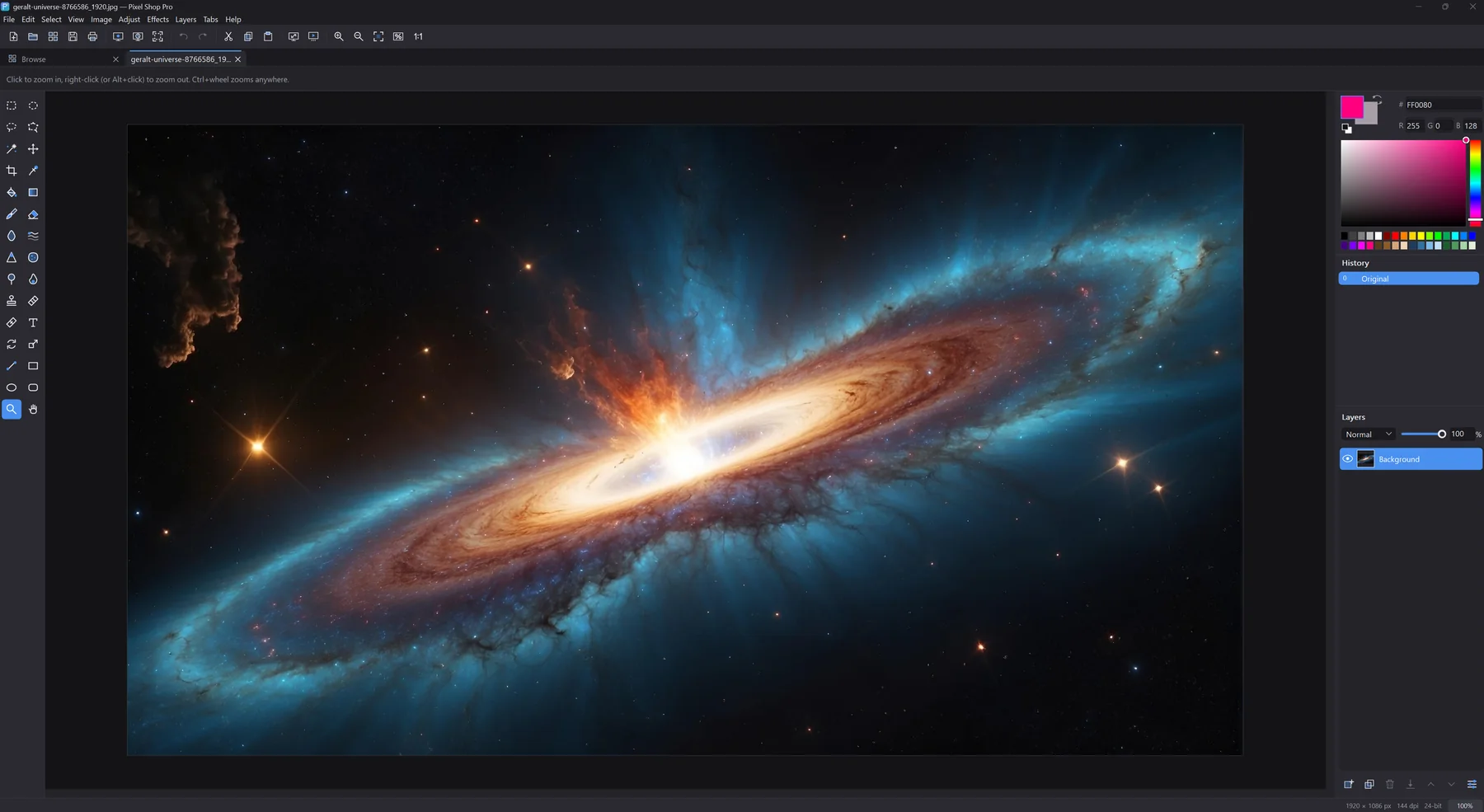
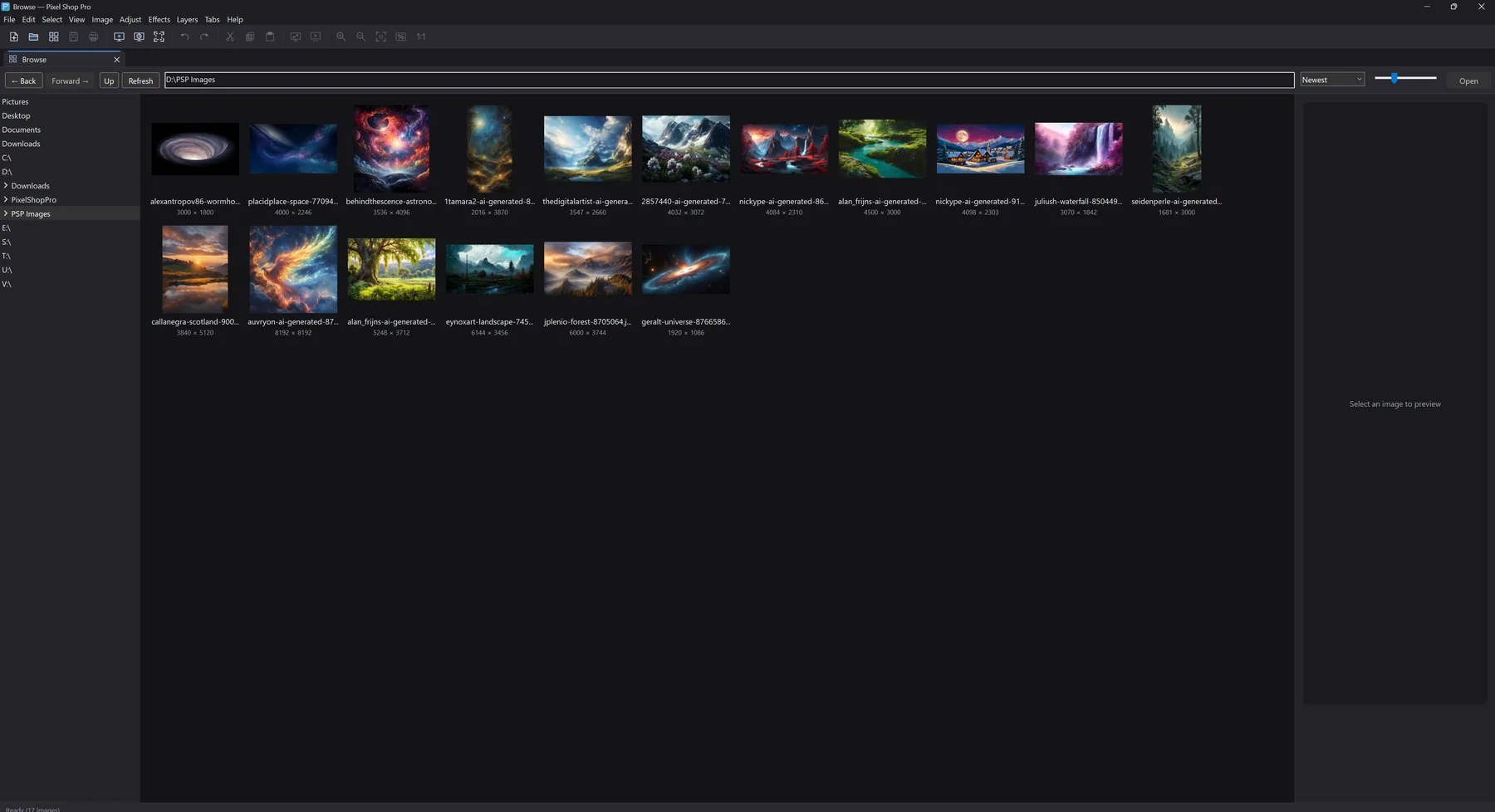
A full image editor in one small file. Pixel Shop Pro has layers, layer effects, retouching tools, batch conversion and a built-in photo browser. There is nothing to install, no account to make and no internet connection needed.
Pixel Shop Pro has its own website. That is where you will find the download, the full feature tour, system requirements and its own disclaimers.
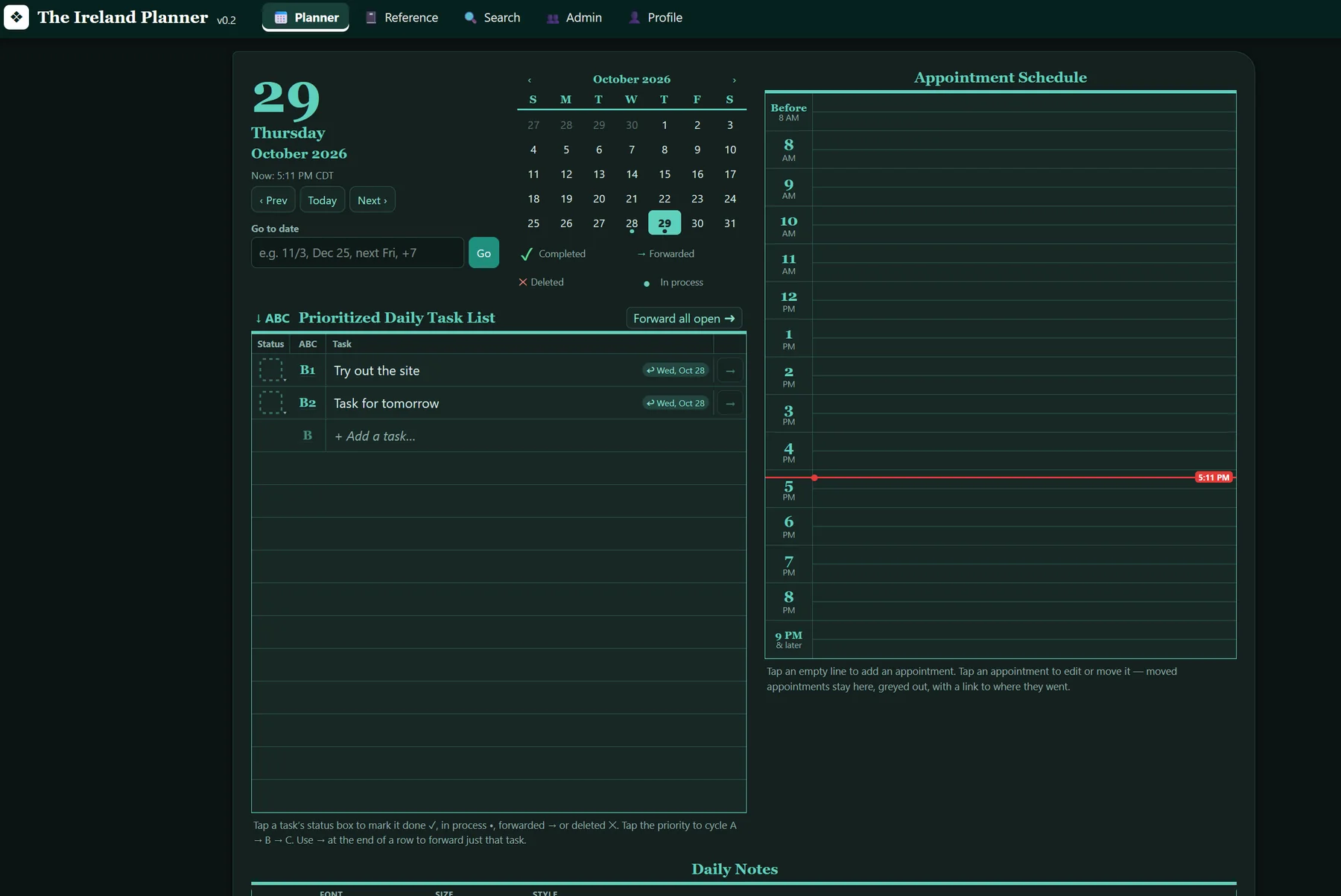
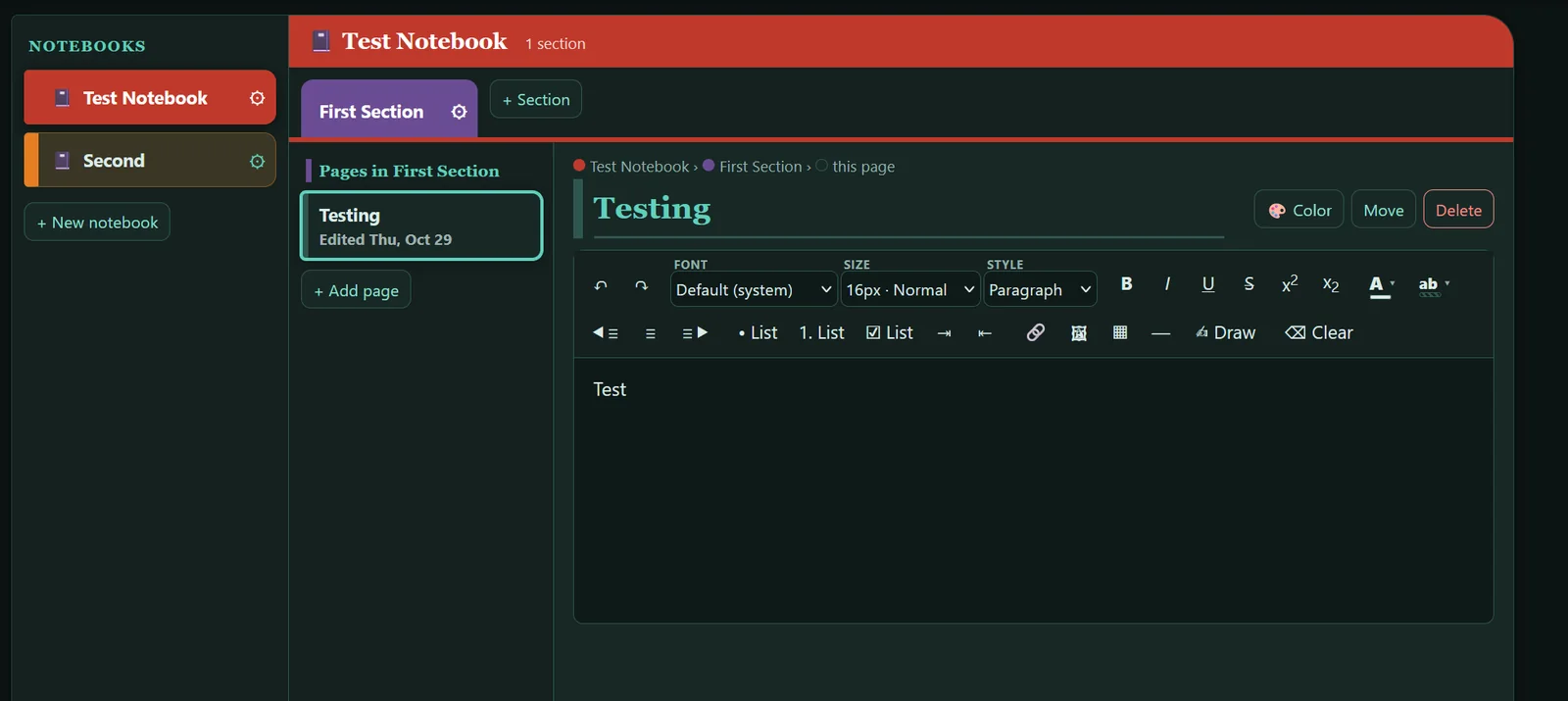
A day planner that lives in your browser. It is inspired by the classic paper Franklin Planner: a prioritized daily task list, an appointment schedule down the side, a monthly calendar and daily notes, with a Reference area of notebooks, sections and pages behind it.
Rank every task A, B or C, then mark it done, in process, forwarded to another day, or deleted. Forward everything still open with one tap.
An hour-by-hour day with a "now" line. Tap an empty line to add an appointment, or tap one to edit or move it.
Color-coded notebooks, sections and pages with a rich text editor: fonts, lists, checklists, tables, links, images and freehand drawing.
Look up what you have written from one place, instead of paging back through old days.
Open it in Safari or Chrome on a phone or tablet, or add it to the home screen to run like an app.
Every person has a separate account and separate data. Download a backup of your own data any time from Profile.

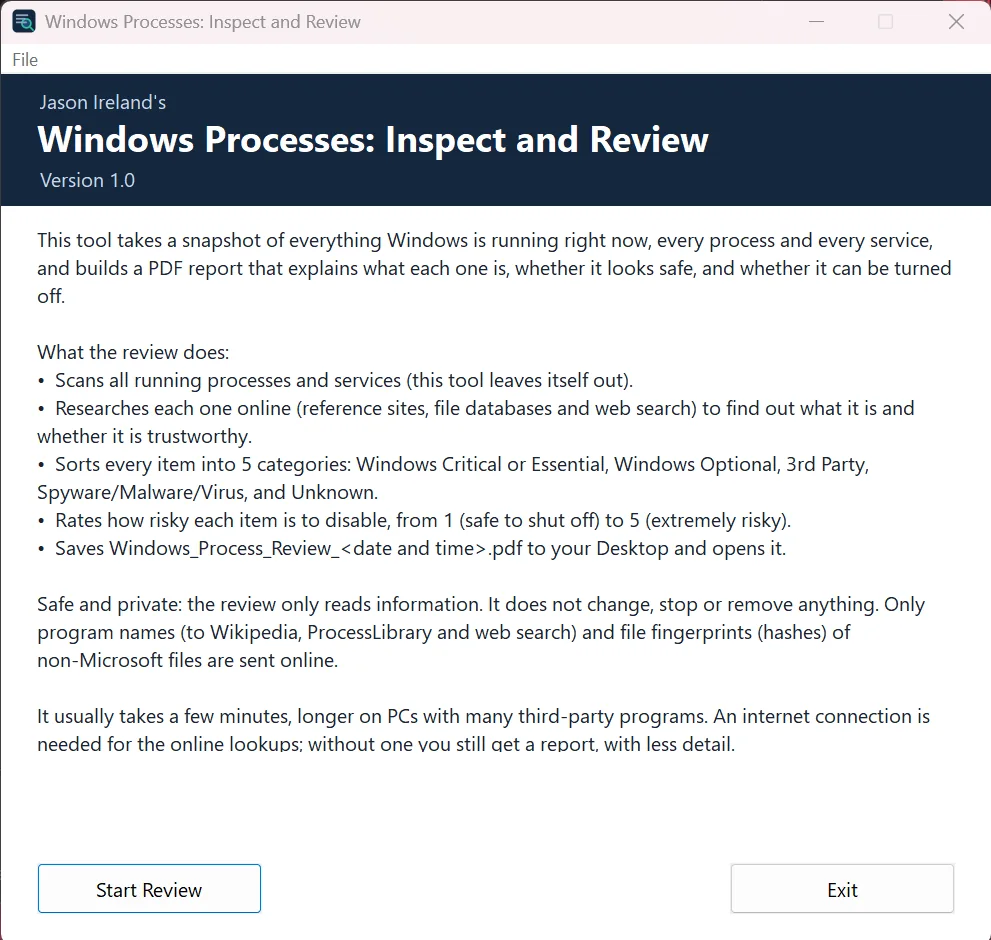
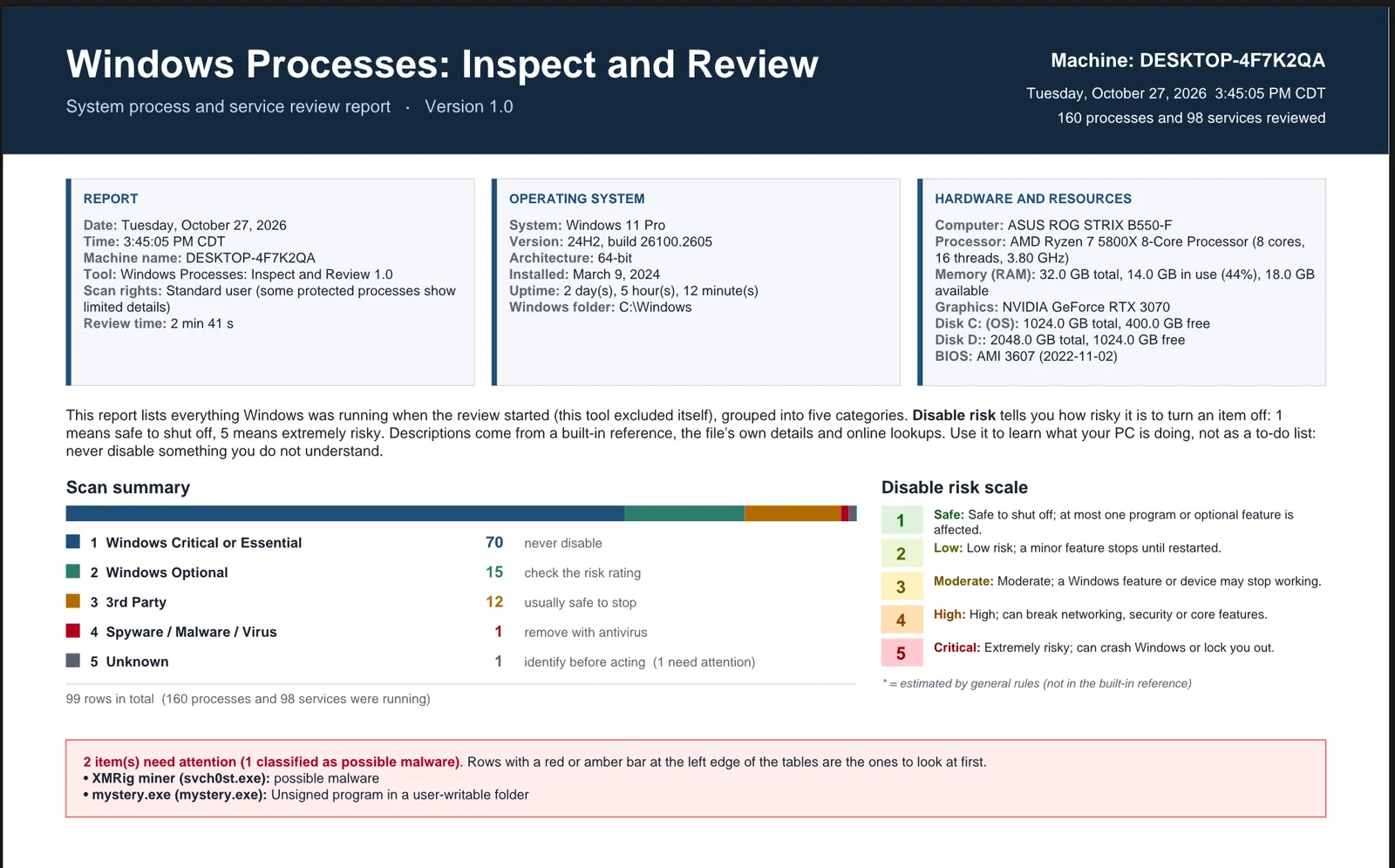
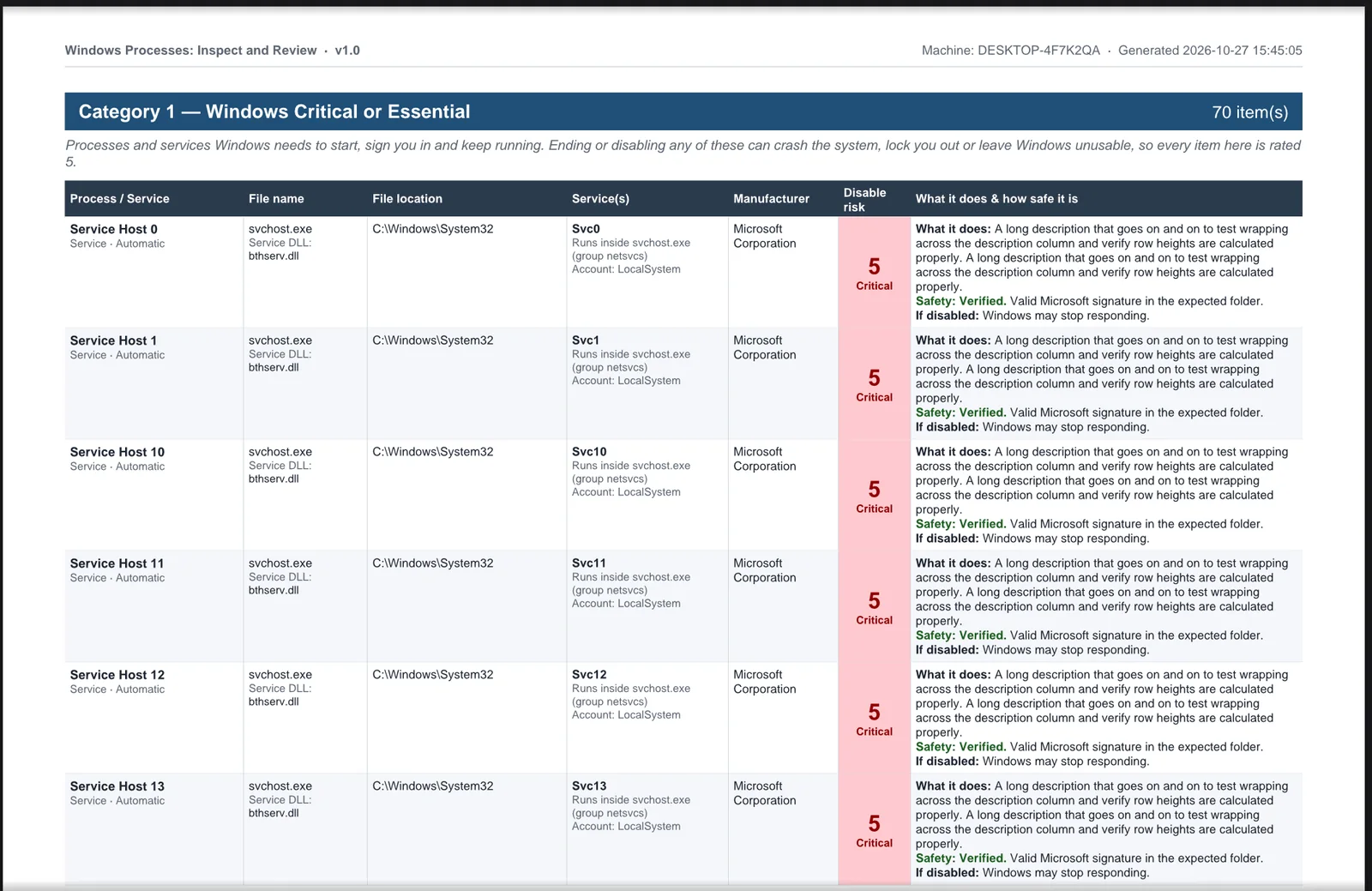
Ever wonder what all those entries in Task Manager are? This tool takes a snapshot of everything Windows is running right now, every process and every service, and builds a PDF report that explains what each one is, whether it looks safe, and whether it can be turned off.
What the review does:
wpir.zip. Right-click it and choose Extract All.WindowsProcessesInspectAndReview.exe. There is nothing to install.Windows_Process_Review_<date and time>.pdf.This program is free and is not code-signed, because a signing certificate costs money for a program I give away. Windows SmartScreen may therefore show "Windows protected your PC" on first launch. If you trust the download, click More info, then Run anyway. To check you have the genuine file, compare its SHA-256 fingerprint with the ones below. In PowerShell: Get-FileHash .\wpir.zip
6d9fb82811fd5177749cf221860091e92fdee62ae68da3bd13abd779d3e2e0791fdbccaa17ca1e9f958e5f181861854ca4673b61211da276a8c73bb075435f0d| System | 64-bit Windows. Developed and tested on Windows 11. |
|---|---|
| Installation | None. One file, no installer. |
| Internet | Recommended, for the online lookups. Not required. |
| Permissions | A standard user account works. Some protected processes show fewer details unless run as an administrator. |
Use the report to learn what your PC is doing, not as a to-do list: never disable something you do not understand. See the disclaimers below.
Last updated October 29, 2026.
Everything on this site is free. The software and web apps are provided "as is", without warranty of any kind, express or implied, including any warranty of merchantability, fitness for a particular purpose or non-infringement. The developer accepts no liability for data loss, damage to your files, your computer or your business, or any other harm that comes from using them.
These tools were developed with the help of Claude AI, an AI assistant from Anthropic. They have been tested, but they may still contain mistakes. Keep backups of anything that matters.
Pixel Shop Pro has its own website at pixelshoppro.com, and its own disclaimers and legal terms apply to it.
Last updated October 29, 2026. These terms may be updated from time to time.
This website, the IRE Tools name and logo, and the programs and web apps described here are © 2026 Jason Ireland. All rights reserved.
The programs are licensed, not sold. You may use them free of charge on your own computers, subject to the disclaimers above. Access to The Ireland Planner is by invitation and may be withdrawn at any time.
Windows Processes: Inspect and Review is written in Go. It includes the Go standard library and parts of the golang.org/x packages (crypto and net), which are used under the BSD 3-clause license shown below. This website uses no third-party scripts, fonts or images, and shows your device's own system fonts.
Copyright 2009 The Go Authors.

Redistribution and use in source and binary forms, with or without
modification, are permitted provided that the following conditions are
met:

   * Redistributions of source code must retain the above copyright
notice, this list of conditions and the following disclaimer.
   * Redistributions in binary form must reproduce the above
copyright notice, this list of conditions and the following disclaimer
in the documentation and/or other materials provided with the
distribution.
   * Neither the name of Google LLC nor the names of its
contributors may be used to endorse or promote products derived from
this software without specific prior written permission.

THIS SOFTWARE IS PROVIDED BY THE COPYRIGHT HOLDERS AND CONTRIBUTORS
"AS IS" AND ANY EXPRESS OR IMPLIED WARRANTIES, INCLUDING, BUT NOT
LIMITED TO, THE IMPLIED WARRANTIES OF MERCHANTABILITY AND FITNESS FOR
A PARTICULAR PURPOSE ARE DISCLAIMED. IN NO EVENT SHALL THE COPYRIGHT
OWNER OR CONTRIBUTORS BE LIABLE FOR ANY DIRECT, INDIRECT, INCIDENTAL,
SPECIAL, EXEMPLARY, OR CONSEQUENTIAL DAMAGES (INCLUDING, BUT NOT
LIMITED TO, PROCUREMENT OF SUBSTITUTE GOODS OR SERVICES; LOSS OF USE,
DATA, OR PROFITS; OR BUSINESS INTERRUPTION) HOWEVER CAUSED AND ON ANY
THEORY OF LIABILITY, WHETHER IN CONTRACT, STRICT LIABILITY, OR TORT
(INCLUDING NEGLIGENCE OR OTHERWISE) ARISING IN ANY WAY OUT OF THE USE
OF THIS SOFTWARE, EVEN IF ADVISED OF THE POSSIBILITY OF SUCH DAMAGE.
Pixel Shop Pro lists its own third-party software and licenses on its website.
Windows, Microsoft and SmartScreen are trademarks of Microsoft Corporation. Cloudflare is a trademark of Cloudflare, Inc. Google is a trademark of Google LLC. Wikipedia is a trademark of the Wikimedia Foundation. ProcessLibrary, Franklin Planner, Claude, Anthropic and any other names mentioned belong to their respective owners. IRE Tools and Jason Ireland are independent of them, and nothing here is sponsored by, endorsed by or affiliated with any of them. The Ireland Planner is inspired by the paper planner system of that name and is not a FranklinCovey product.
Jason Ireland and Claude AI. Jason sets the ideas, the direction and the testing; Claude, an AI assistant made by Anthropic, helps write the programs, this site and the documentation.
See the Pixel Shop Pro website for the credits that belong to that program.